
How to restore the factory initialization configuration of Sangfor AF firewall? -QYTang Network Lab Ander Zhou Yajun
Contact QYTang to get the trial video Online customer service
Customer service QQ: 3378266435
Purpose: Clear the configured Sangfor firewall and restore it to the factory initialization configuration
1. Required information
1) SANGFOR_Updater (the version in this example is 6.1)
2) The system of the same version corresponding to the AF firewall (in this case, it is 4.7~older, and the newer version is 8.x)
3) Successfully log in to Sangfor firewall
2. Run SANGFOR_Updater and log in
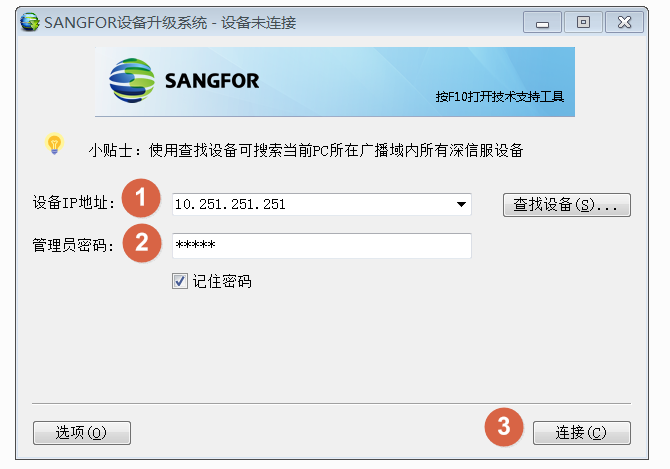
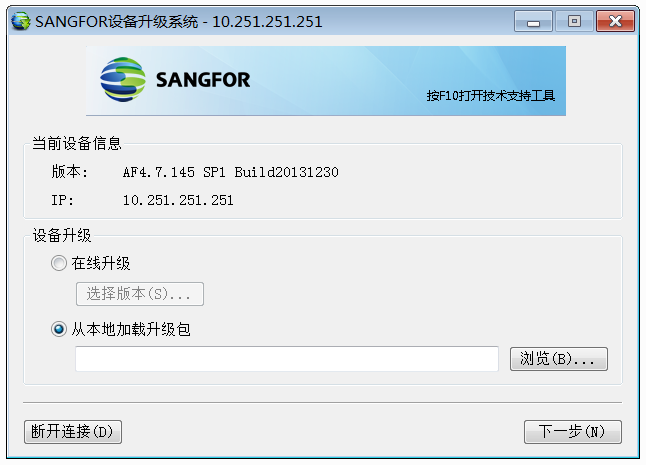
3. Run F10 to bring up the "Upgrade Support Tool"
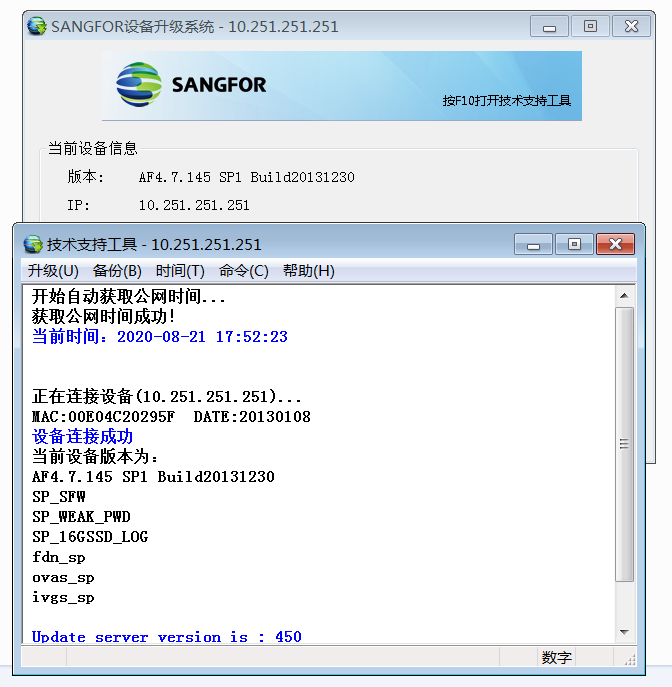
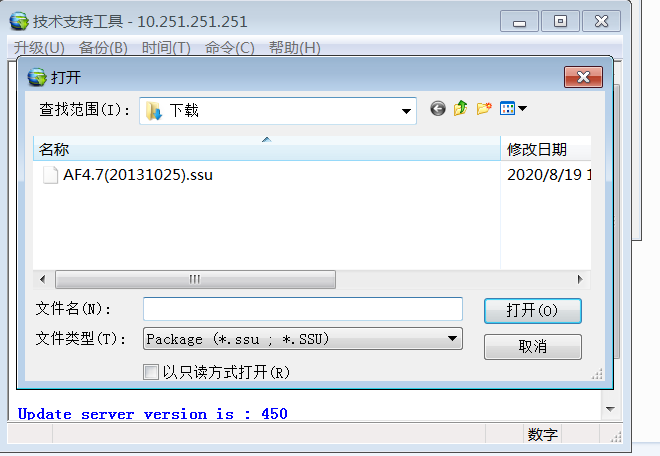
4.Restore factory initialization configuration
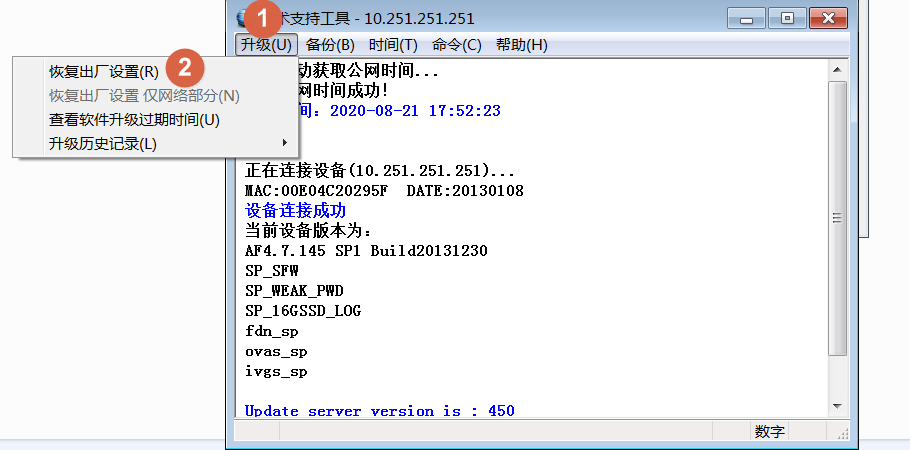
Select the same version .ssu image
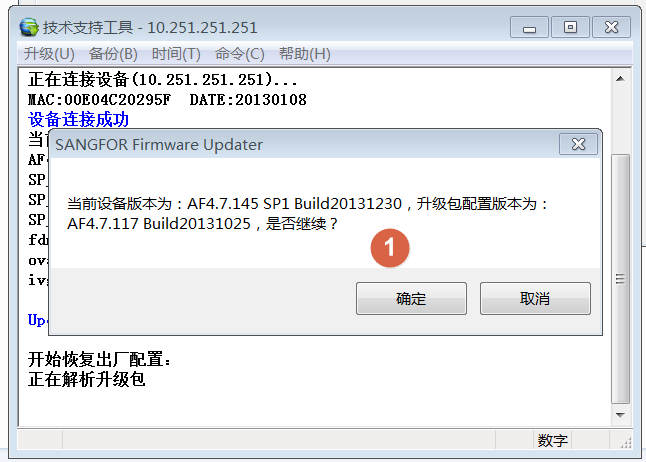
Warning about risks, click to continue
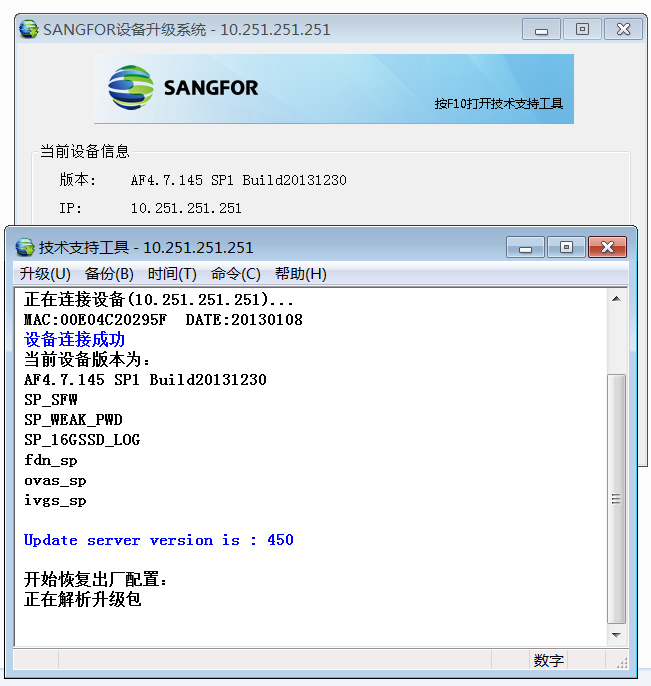
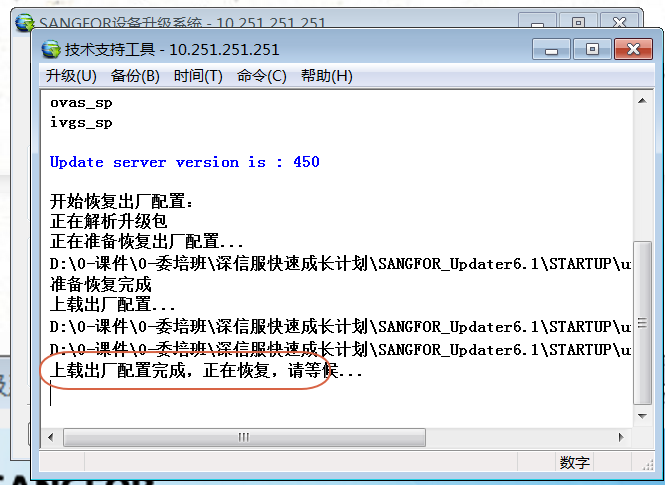
5. Restart and check the deployment results
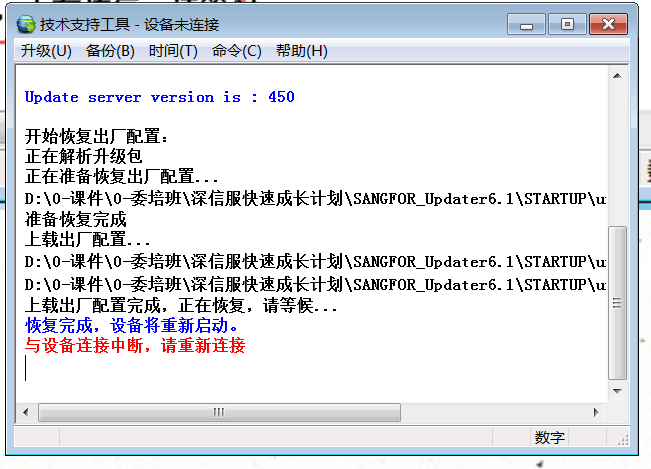
The device will automatically restart
Indicator lights at startup:
Power-green
Alarm-red->green
Test system communication:
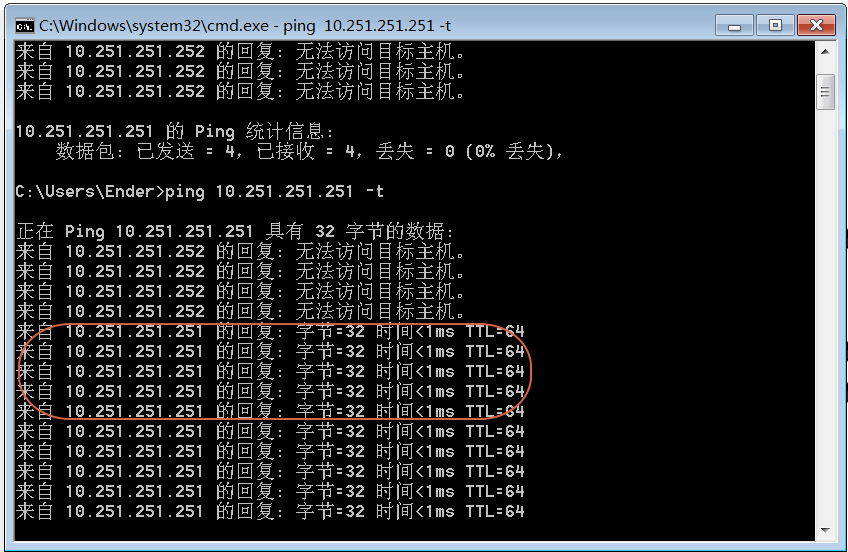
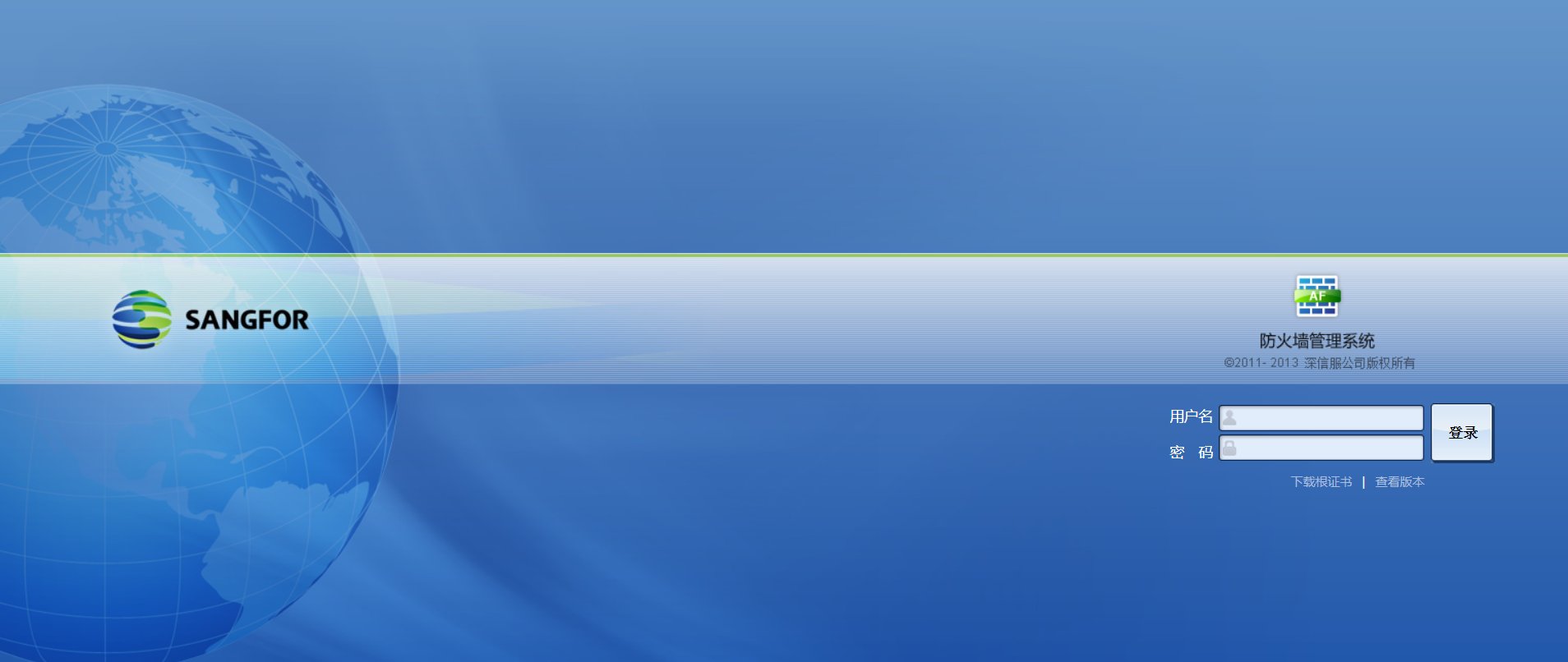
Successfully logged into the device
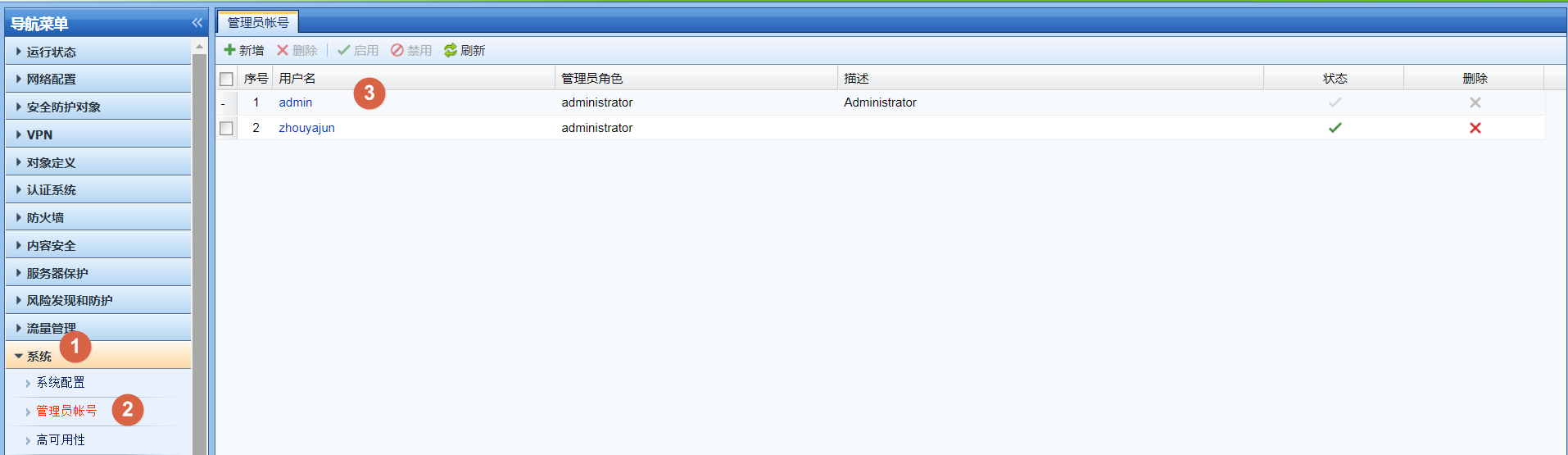
It has been restored to the initial configuration, as shown in the figure. Experiment successful

Customer service QQ: 3378266435
WeChat: qyt3378266435
Provide free basic course materials for everyone to learn
Provided by QYTang
Cisco.Huawei.Python learning
CCNA|CCNP|CCIE|HCIA|HCIP|HCIE
Routing and Switching|Security|DCData Center|Wireless|Cloud Computing
QYTang customer service hotline: 400-618-8070
QYTang official website: www.qytang.com
QYTang Network Lab We think more for you